MICROSOFT TEAMS
Using intelligence to draft emails
My role
Lead UX/UI Designer
My team
PM, content design, engineers, UX research
Context
Microsoft Teams improves the way we virtually collaborate with one another. Those who have Teams premium have access to a recap page, which includes a recap video, AI generated notes and follow-up tasks, a meeting transcript, as well as any documents or links that were shared in chat.
My role
As the lead designer on the team, I improved the value of Teams by designing an experience that easily allows meeting organizers to send post meeting materials to their external attendees by using AI.
THE CHALLENGE
There's no easy way for organizers to share with external attendees once a meeting ends.
Design question
In collaboration with content design, PMs, and engineers, we created a design question to focus on the right pain points:
How might we streamline how organizers share post-meeting materials with external attendees?
Aligning with our team and our dependencies
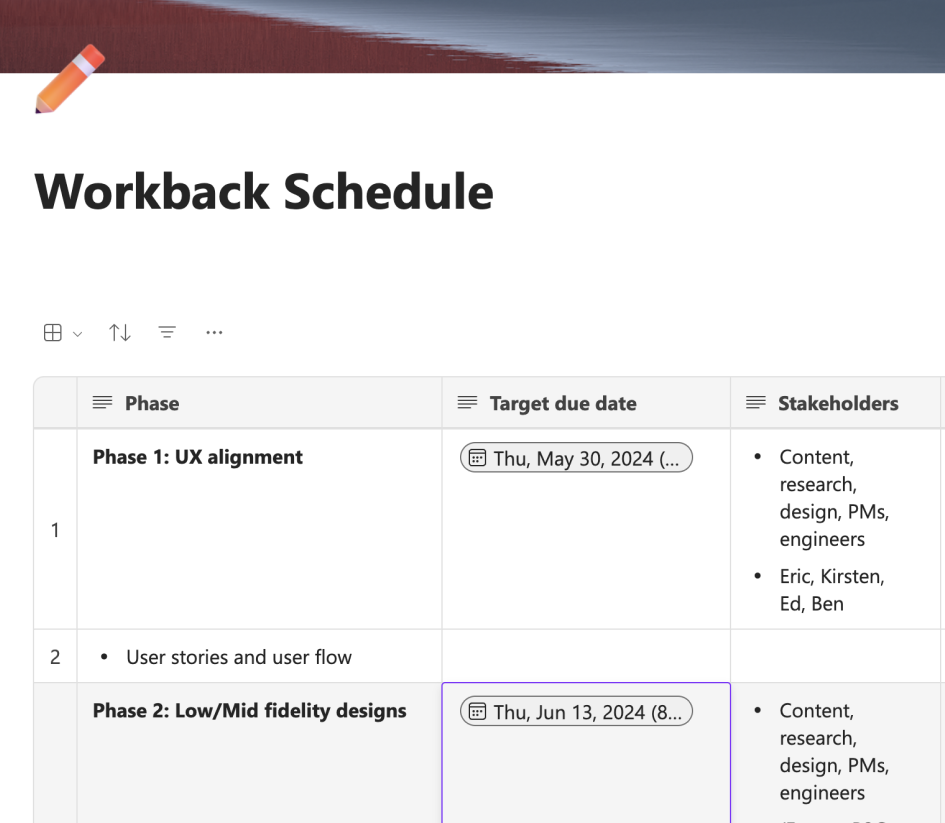
Workback schedule
I created a design workback schedule to lay out a framework of design milestones and to create a plan for the project from ideation to implementation.
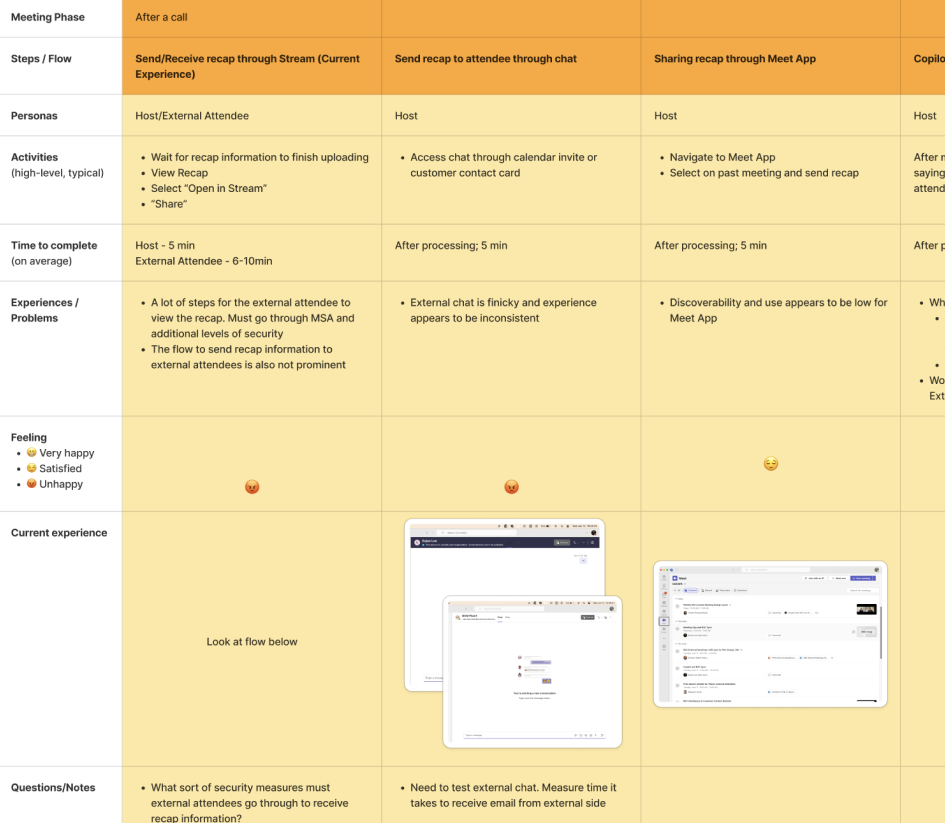
User journey map
This map helped me to understand and empathize with organizers at each stage of a meeting lifecycle.
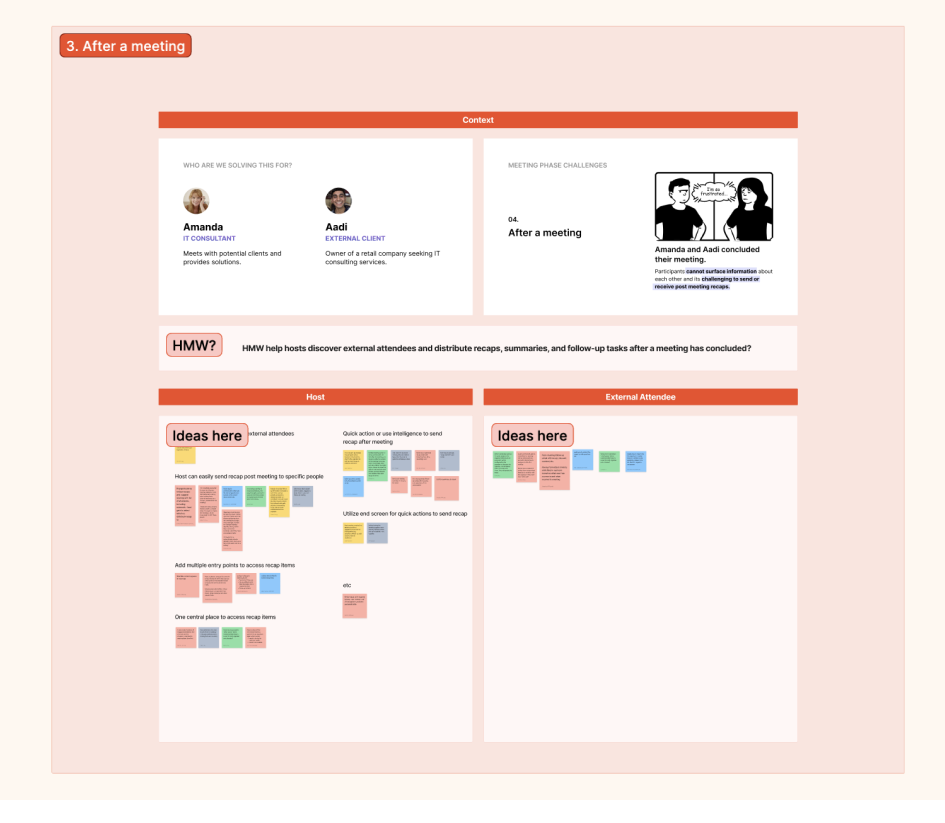
Brainstorming session
I brought non-designers and designers together to collaborate and generate ideas within the problem space.
Medium fidelity wireframes
After aligning on the problem, I created medium fidelity wireframes to start discussions on where potential entry points for our feature would live, to understand what engineering timelines might look like, and to visualize a design direction.
Weighing different design options
When I brought my designs to a larger review group, the team was divided between two entry points.
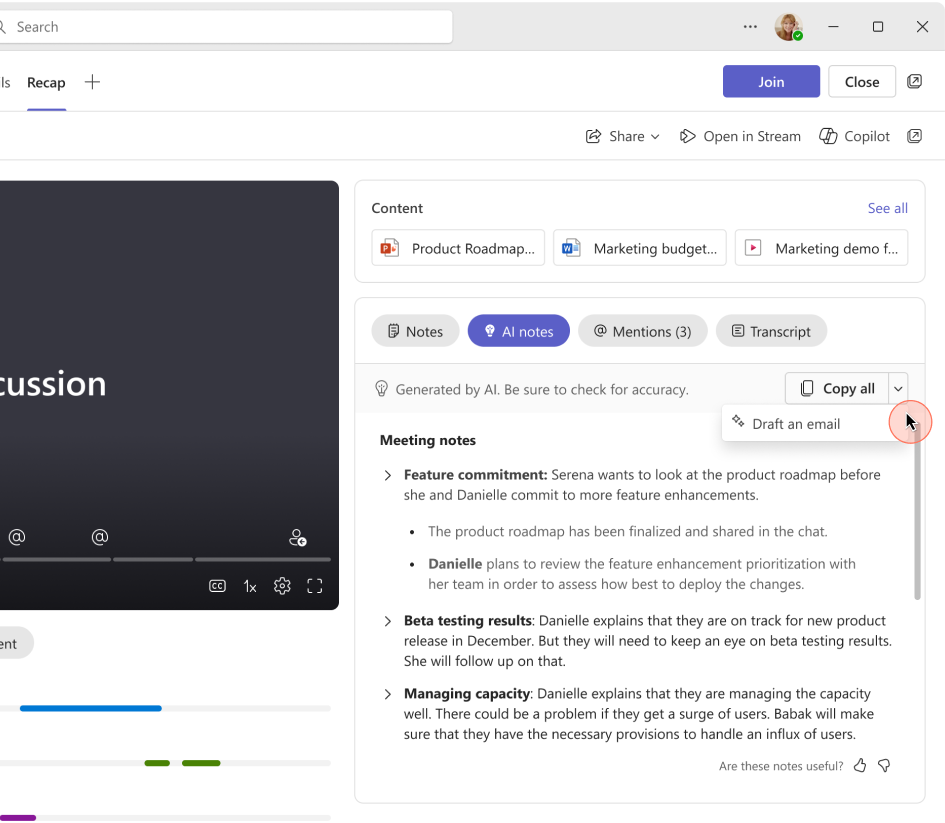
Design A: Split button
Utilize existing ‘copy all’ surface. This was a familiar surface to organizers and we had assumed it to feel most natural.
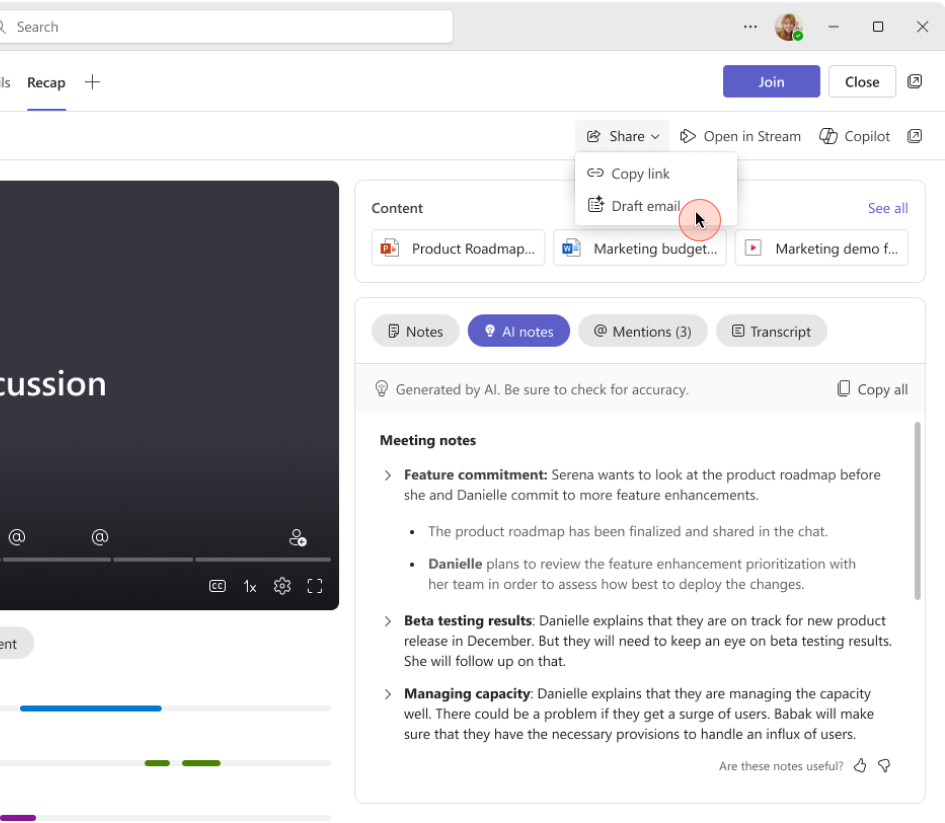
Design B: Share menu
Draft an email through the share dropdown. The action of drafting and sending an AI email fit the "Share" string.
Validating our design options with users
I tested our assumptions with customers to get general reactions, feelings, and opinions on my designs.
Design B: Share menu
Through testing, customers confirmed that having "Draft email" under the share menu felt most intuitive.
High fidelity screens
From our user testing sessions, I created high fidelity screens and prototypes to visualize the user flow. Here, I also worked with engineers to create designs for edge cases and error states.
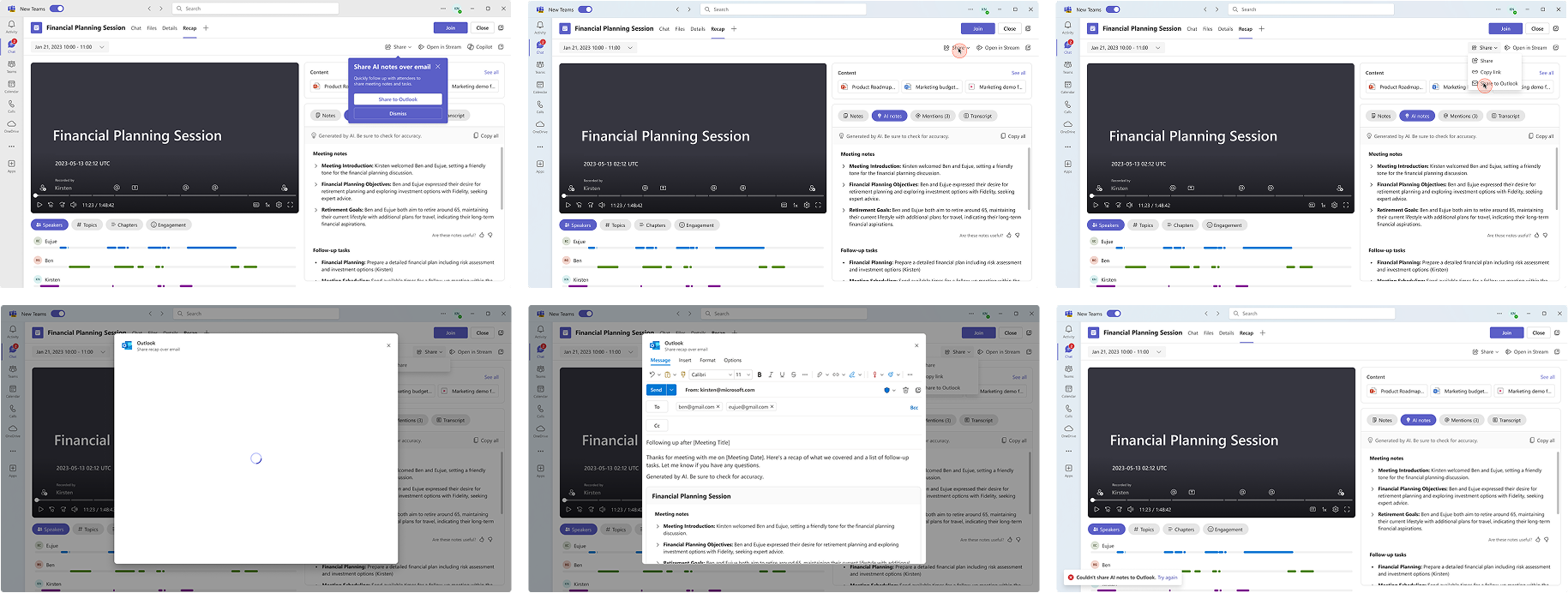
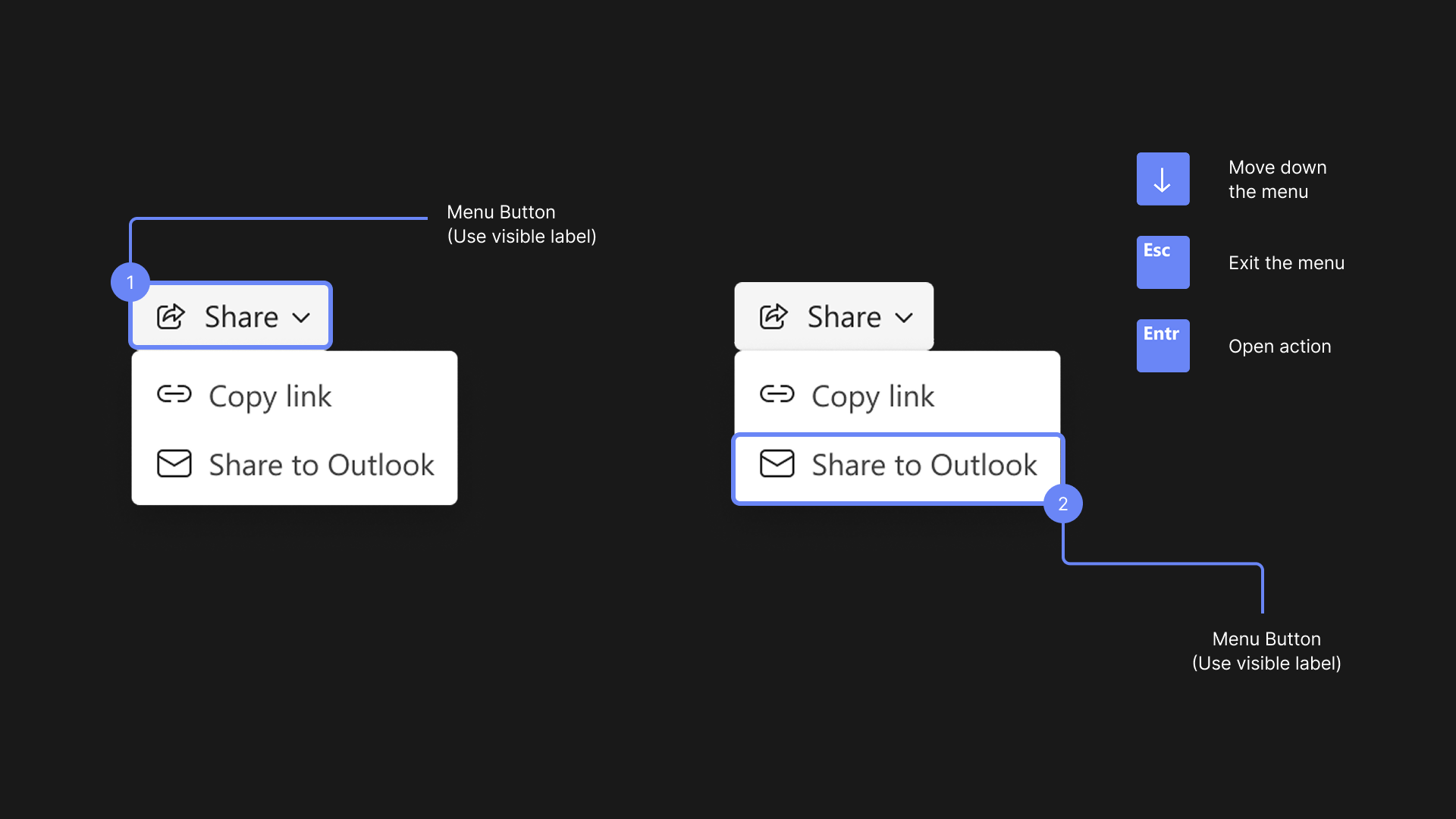
Accessibility specs
Before handing off my design specs to the engineering team, I also annotated my designs for accessibility that included keyboarding rules, screenreader labels, and keyboard shortcuts.
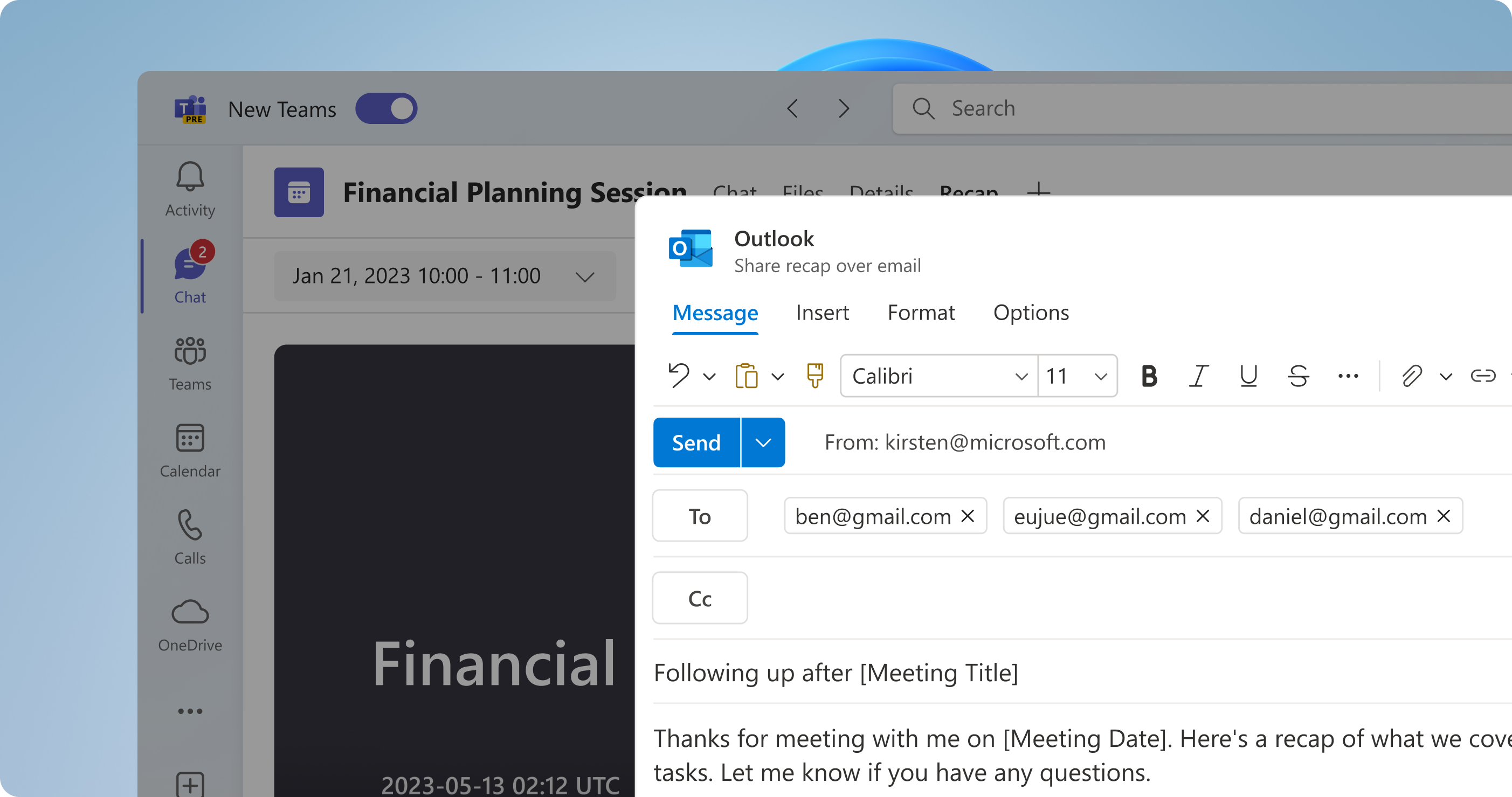
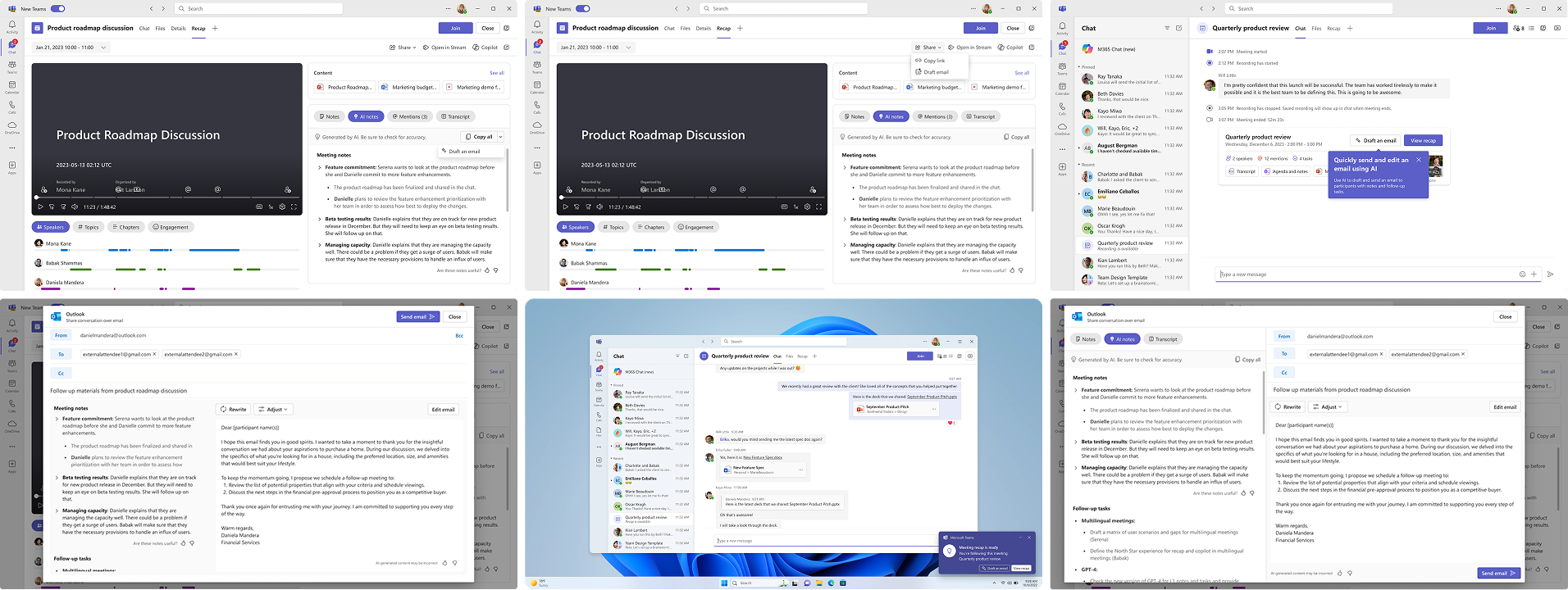
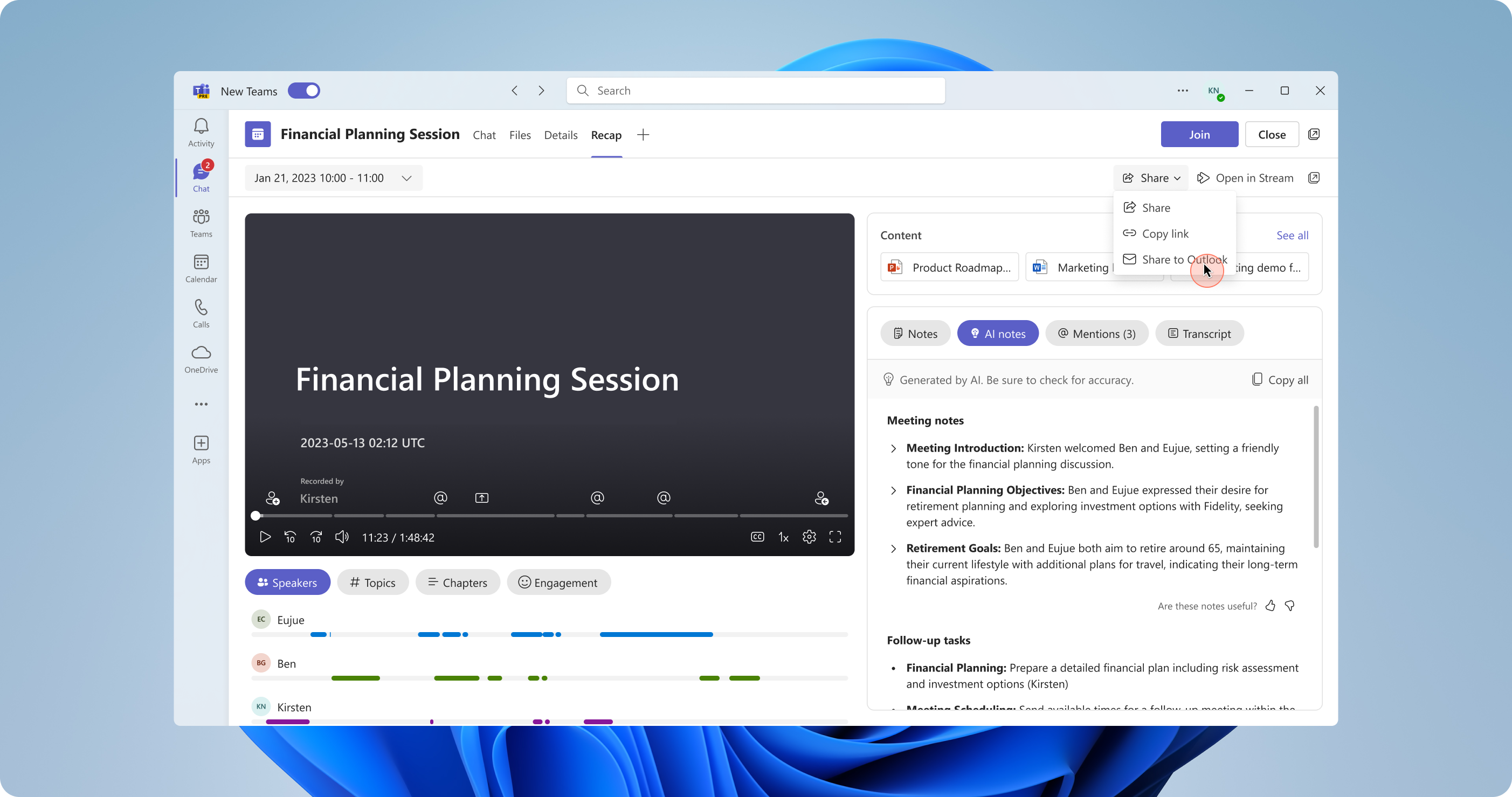
Quickly draft an email using intelligence
With a click of a button, let AI quickly draft an email for you.
Stay in one place
Draft and send an email in one place, directly in Teams.
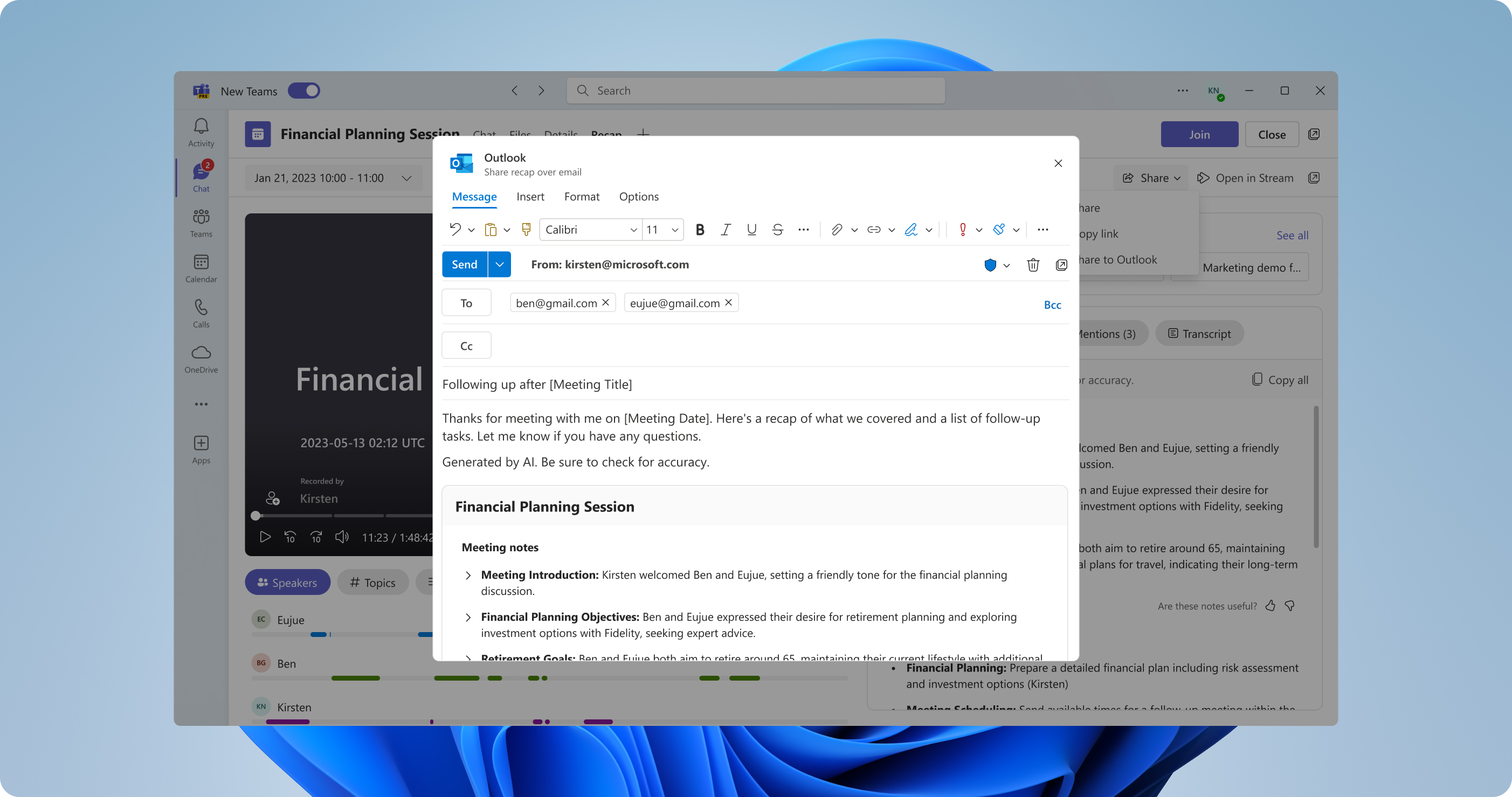
Send an email to all your participants with one click
No need to copy and paste email addresses anymore; everyone who attended the meeting populates in the "To" line.